Point of Sale
POS is a fast, intuitive ordering and payment system built to help restaurants and retailers manage daily operations with less friction. It keeps checkout, orders, tickets, and service workflows simple so teams can move quickly and serve customers better.
Product Design, POS, KIOSK, Handheld
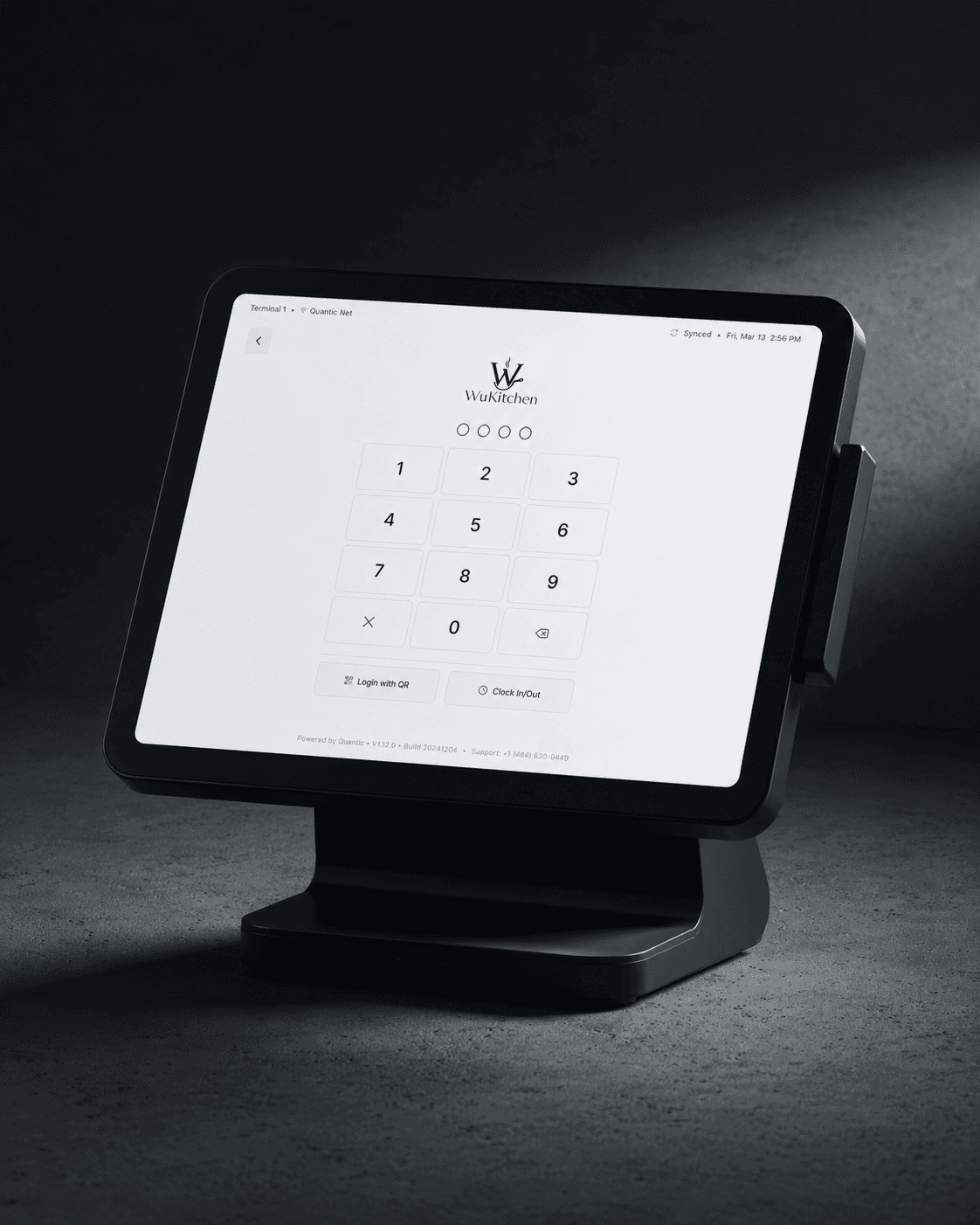
Process:
Core Alignment: Aligned with stakeholders on business goals, product requirements and technical feasibility to ensure the solution was practical and business-driven.
Research & Development: Analyzed competitors, industry challenges, compliance needs and product gaps to uncover opportunities for improvement.
Design & Usability Testing: Tested multiple flow options across each section to find the best balance between usability, dense data and clear information hierarchy.
Feedback-Driven Iterations: Collected insights through 1:1 support, sales, and partner interviews and weekly in-platform surveys to continuously refine the experience.
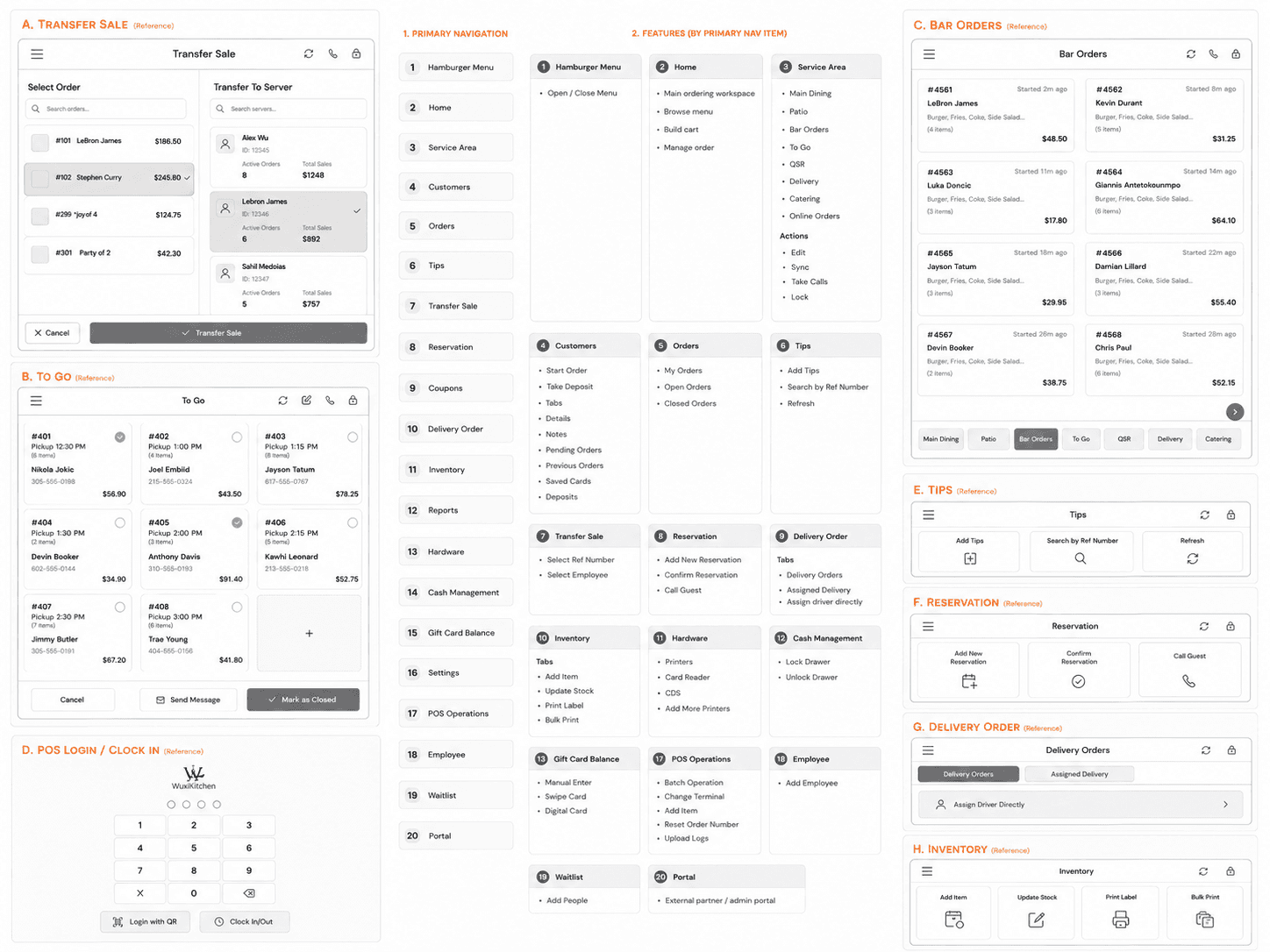
Design & Architecture:
✅ Service-Area First Architecture
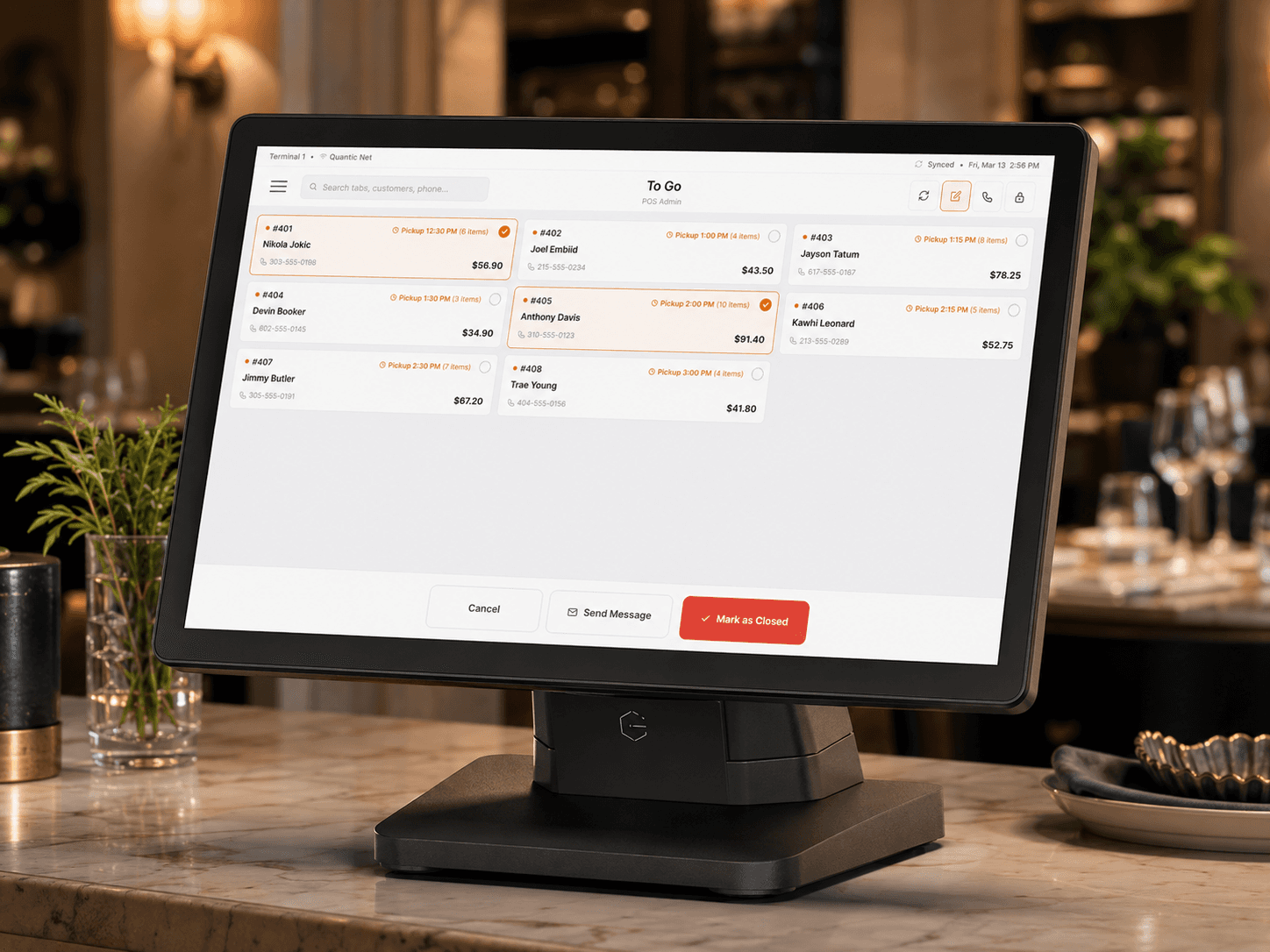
The POS is structured around real restaurant workflows, with service areas like Main Dining, Patio, Bar Orders, To Go, QSR, Delivery, Catering and Online Orders acting as the main entry points. This lets staff quickly jump into the correct order environment based on how the business is operating.
✅ Centralized Operational Navigation
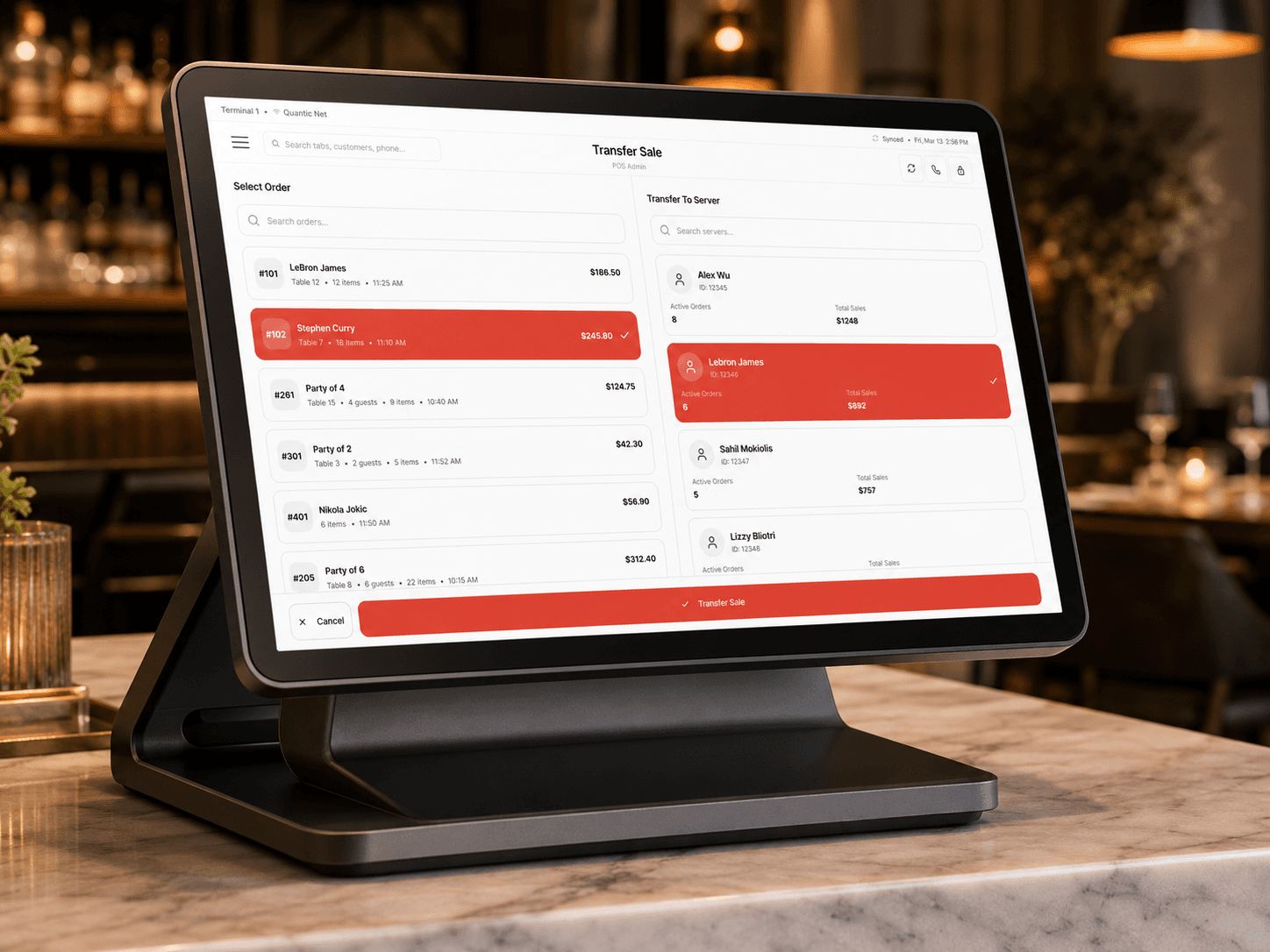
The hamburger menu organizes core POS tools into one scalable system, including Customers, Orders, Tips, Transfer Sale, Reservations, Coupons, Delivery Orders, Inventory, Reports, Hardware, Cash Management, Gift Card Balance, Employees, Waitlist, Portal and Settings. This keeps the main ordering screen clean while still making advanced tools accessible.
✅ Order-Centered Workflow Structure
The Home and Service Area screens are designed around starting, managing and completing orders. Staff can browse menus, build carts, manage open orders, switch service areas and take actions like sync, take calls and lock the terminal without leaving the POS flow.
✅ Customer and Order Relationship Model
Customers are connected directly to ordering behavior through profiles, notes, pending orders, previous orders, saved cards and deposits. This creates a stronger relationship between customer history and live transactions, making it easier to start orders, take deposits and support repeat guests.
✅ Operational Utility Layer
Back-of-house and admin actions are separated into focused utility areas like POS Operations, Cash Management, Hardware, Inventory and Gift Card Balance. This gives managers and staff access to critical controls such as batch operations, changing terminals, resetting order numbers, uploading logs, adding items, updating stock, managing printers and locking cash drawers without cluttering the front-of-house experience.
Design Solution
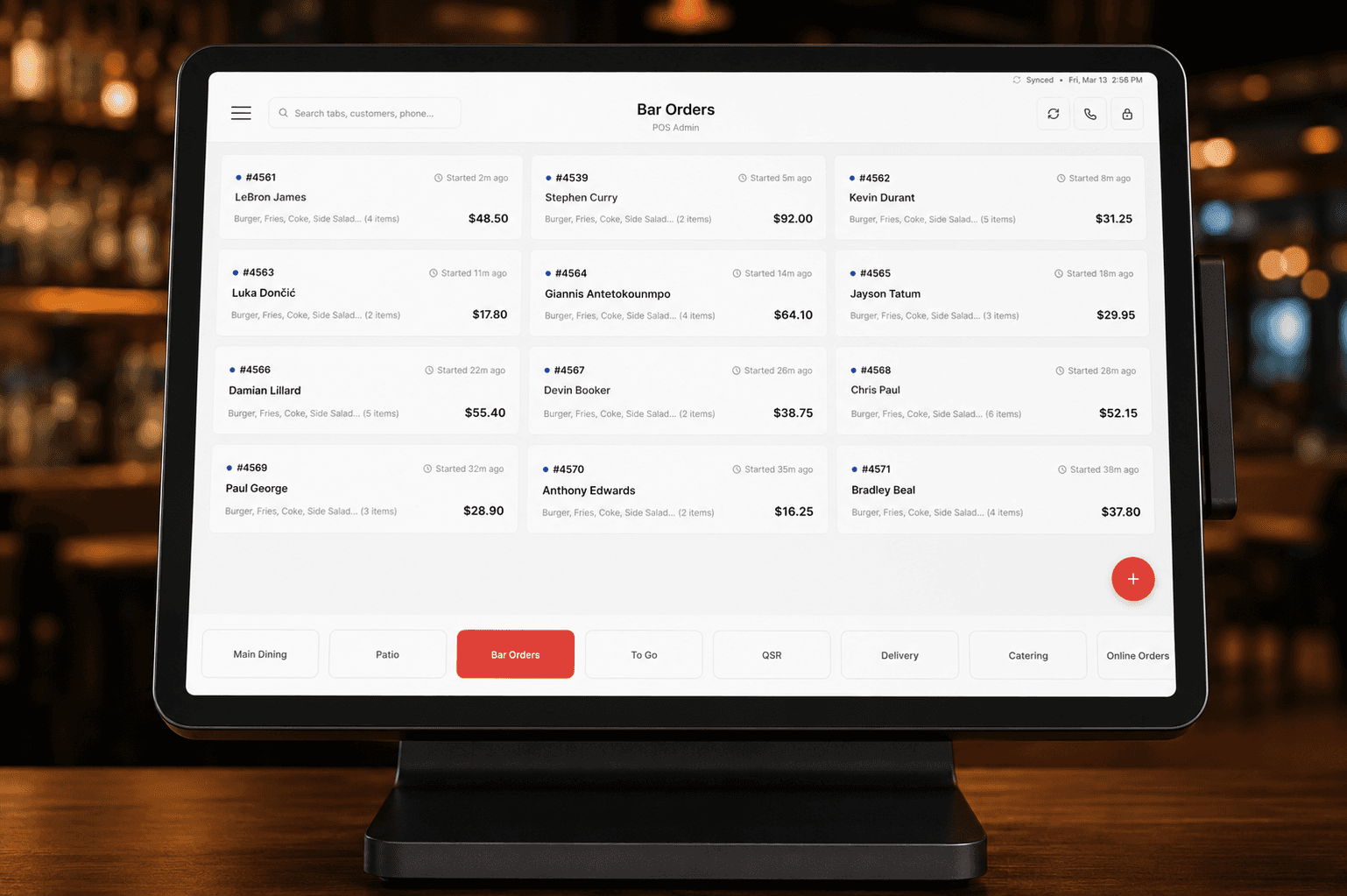
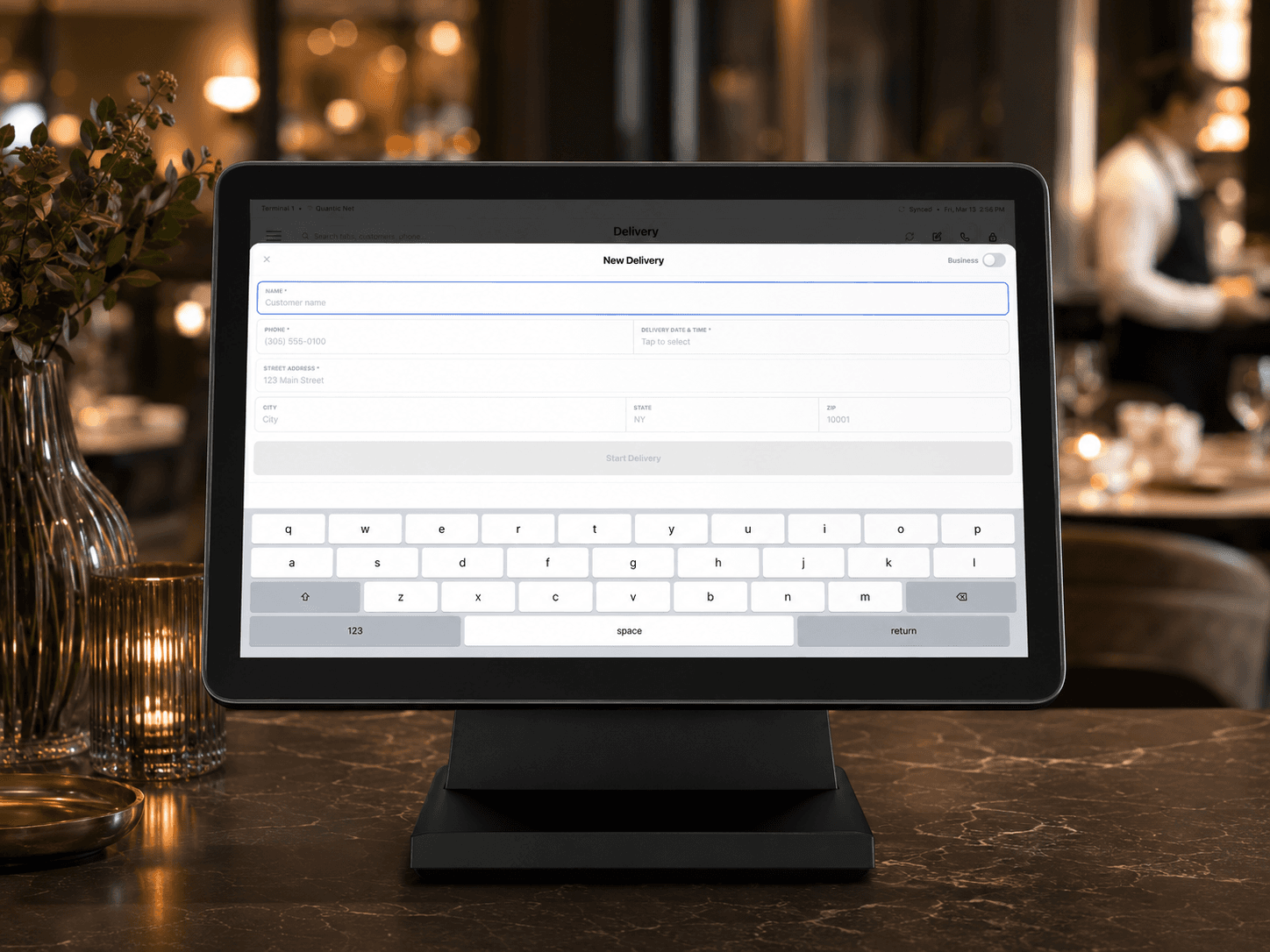
Key Features:
✅ Service Area Management
Staff can quickly switch between Main Dining, Patio, Bar Orders, To Go, QSR, Delivery, Catering and Online Orders, making the POS flexible for different restaurant workflows and service styles.
✅ Fast Order Creation and Management
The Home screen acts as the main ordering workspace where staff can start orders, build carts, manage active tickets and move through the checkout flow with fewer steps.
✅ Customer Profiles and Deposits
Customer records connect directly to orders, allowing staff to start an order, take a deposit and view details, notes, pending orders, previous orders, saved cards and deposit history.
✅ Order Tracking Across Statuses
The Orders section separates My Orders, Open Orders and Closed Orders so staff can quickly track active tickets, review completed orders and manage responsibility across the team.
✅ Delivery and Reservation Support
Delivery Orders include Delivery Orders and Assigned Delivery tabs, with the ability to assign drivers directly. Reservations support adding new reservations, confirming guests and calling reservation contacts.