CRM Tickets
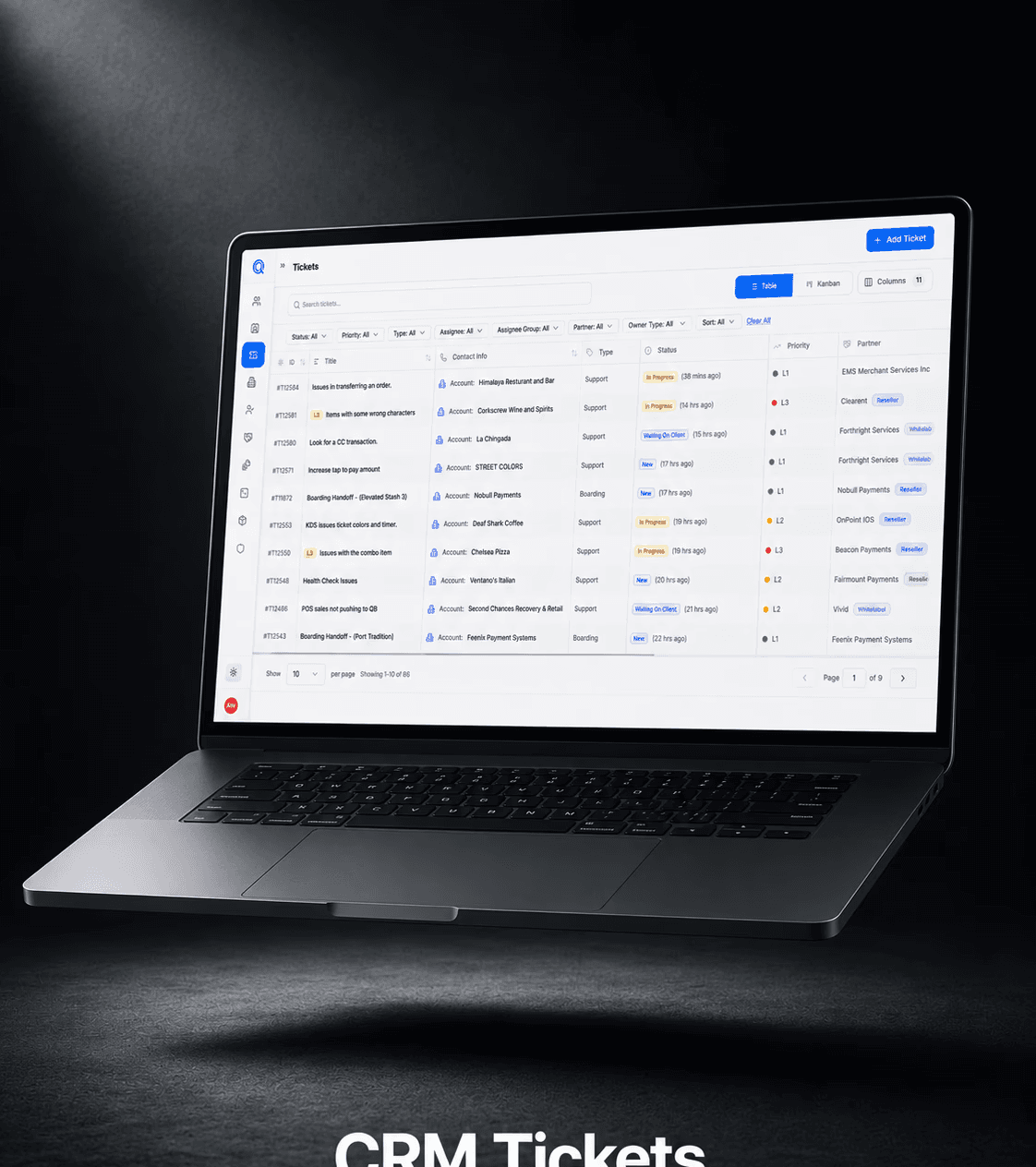
CRM Tickets helps teams create, track, and manage customer support requests in one organized place. It makes it easier to search for existing customers by phone number or email, quickly connect them to a ticket, and view important details without jumping between different tools. The goal is to help support teams move faster, reduce manual work, and keep every customer issue clear from start to finish.
Product Design, Web, Mobile
Process:
Core Alignment: Aligned with stakeholders on business goals, product requirements and technical feasibility to ensure the solution was practical and business-driven.
Research & Development: Analyzed competitors, industry challenges, compliance needs and product gaps to uncover opportunities for improvement.
Design & Usability Testing: Tested multiple flow options across each section to find the best balance between usability, dense data and clear information hierarchy.
Feedback-Driven Iterations: Collected insights through 1:1 support, sales, and partner interviews and weekly in-platform surveys to continuously refine the experience.
Design & Architecture:
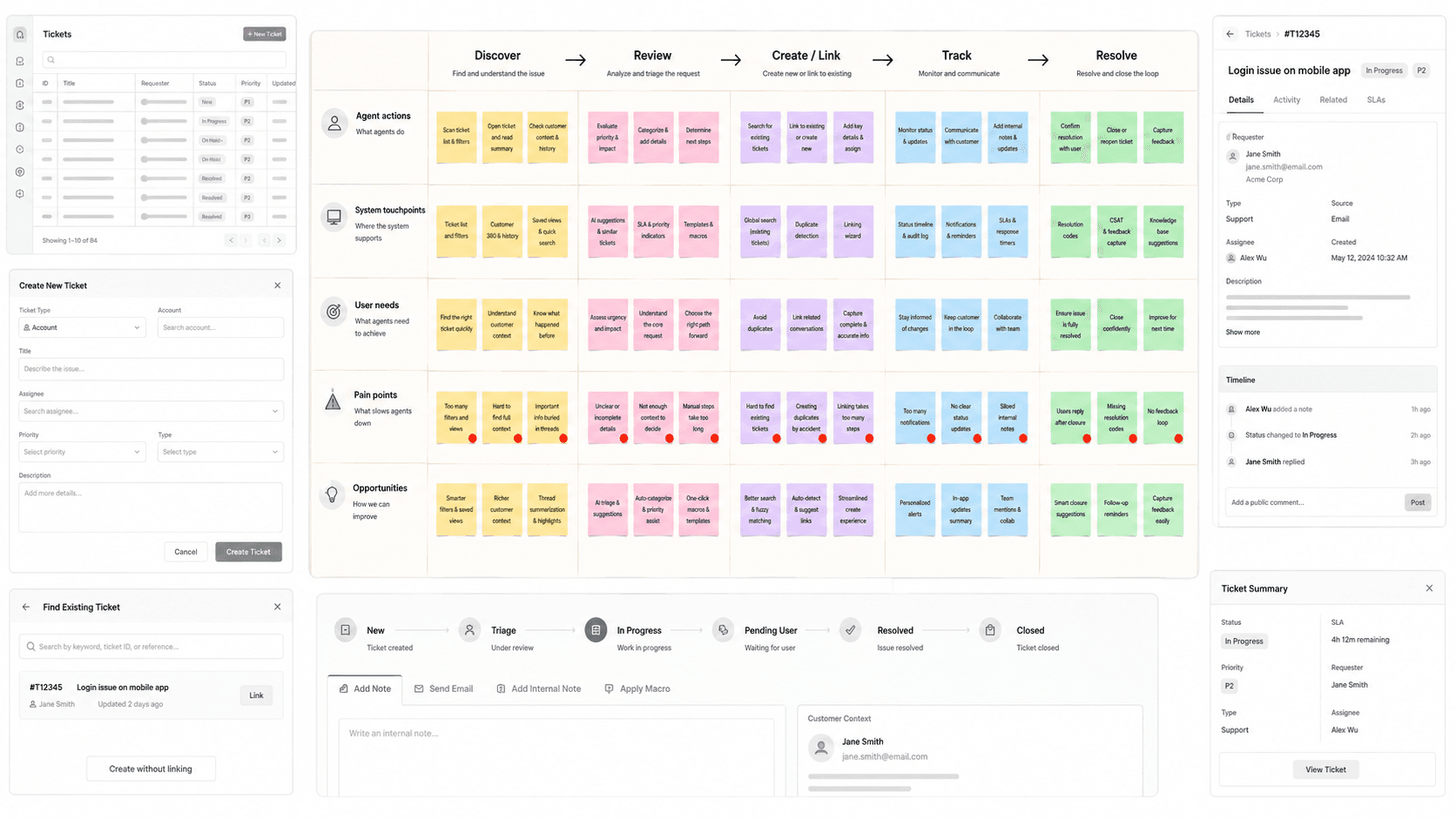
Unified Ticket Command Center
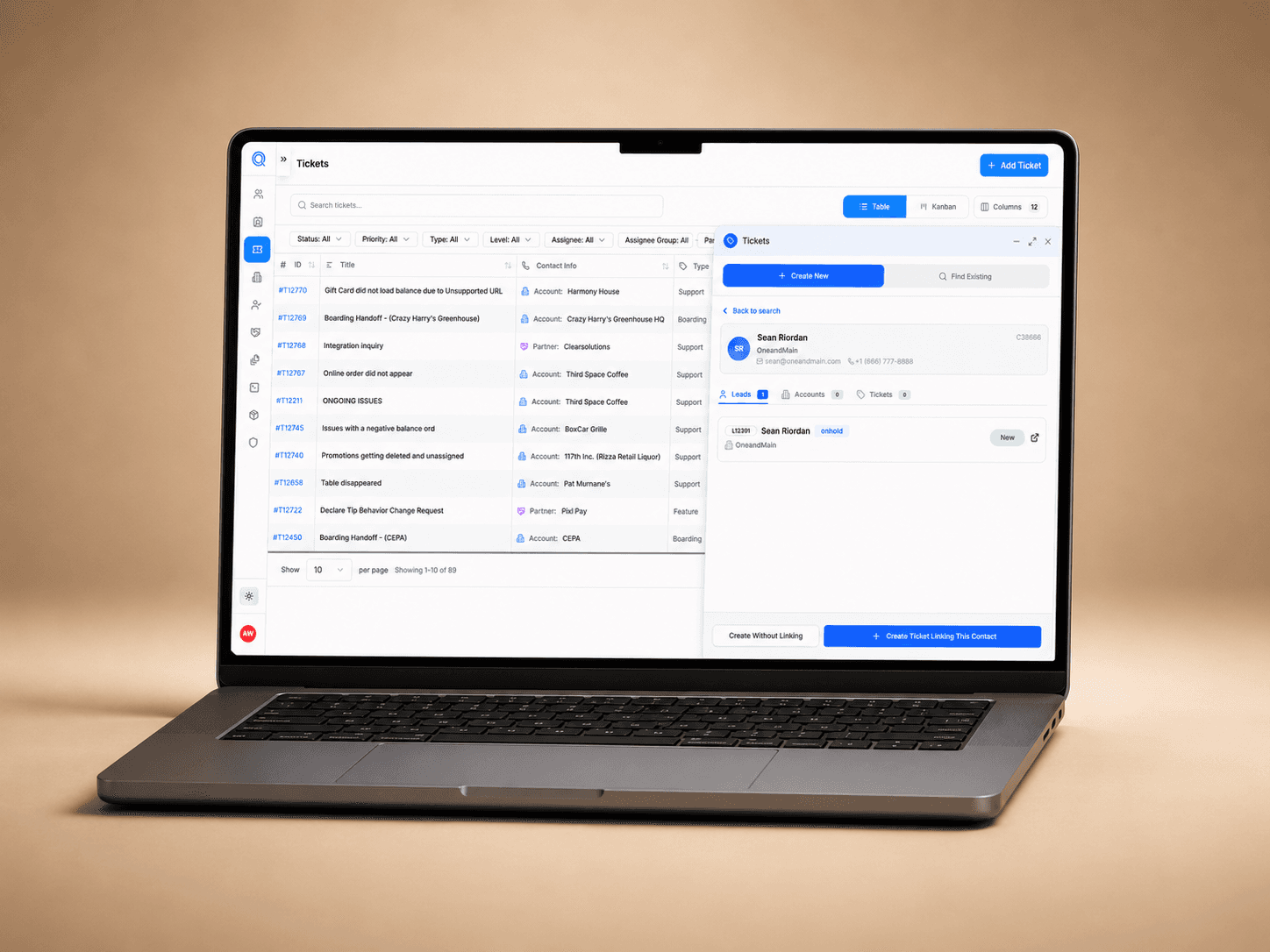
The ticket table acts as the main workspace, giving support teams one central place to monitor issues, scan priority, review status and understand who each ticket is connected to.
Layered Information Architecture
Information is separated into clear layers: ticket overview, filters, ticket creation, contact linking and ticket detail. This keeps the interface from feeling overwhelming while still supporting complex workflows.
Side Panel Workflow Architecture
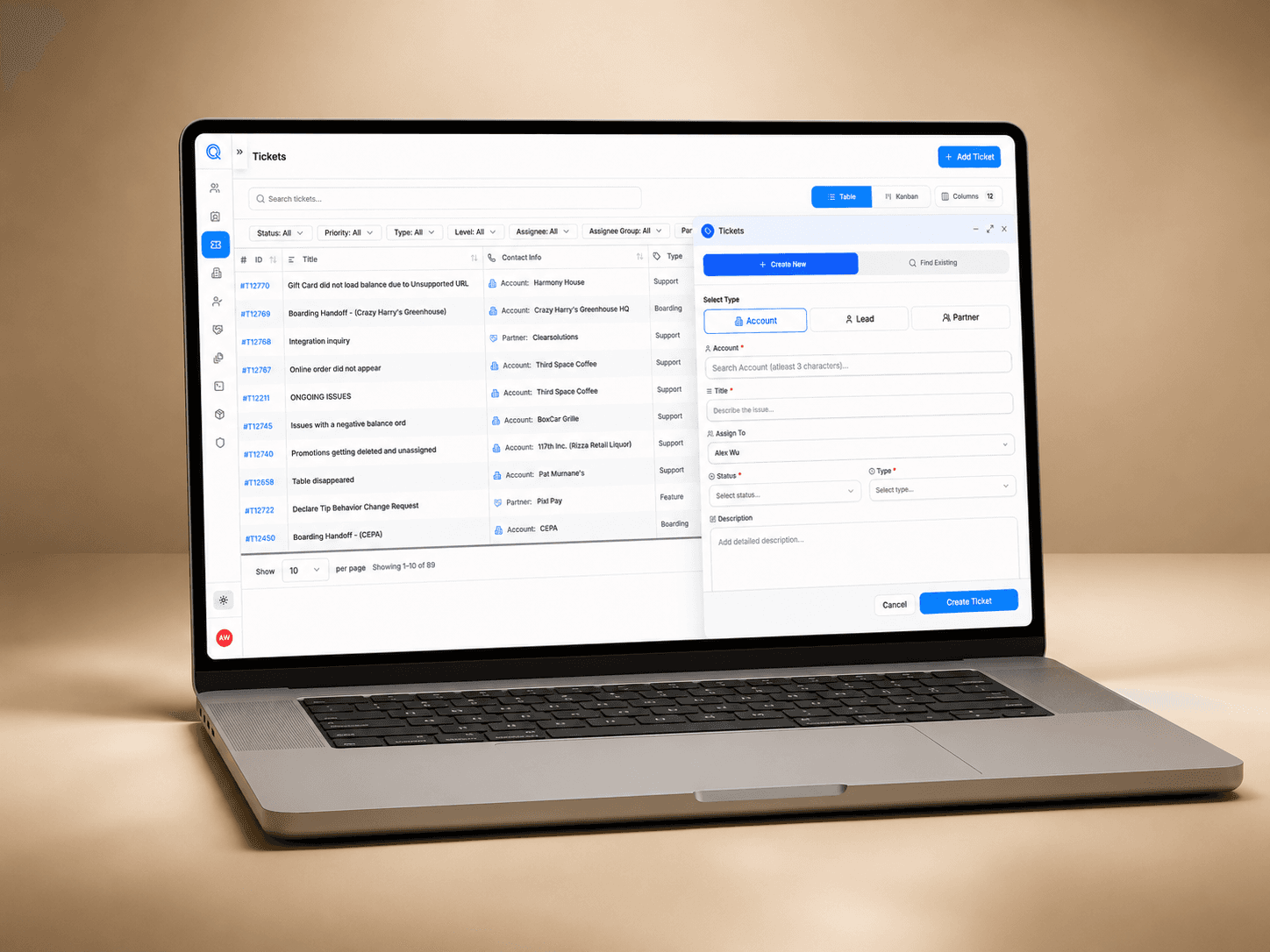
Creating or linking tickets happens in a slide-out panel instead of a full page. This keeps users anchored to the ticket list while allowing them to complete actions without losing context.
Relationship-Based Data Structure
Tickets are designed around connections between accounts, leads, partners and support issues. This makes the CRM more useful because every ticket can carry the right customer or business context.
Resolution-Focused Detail View
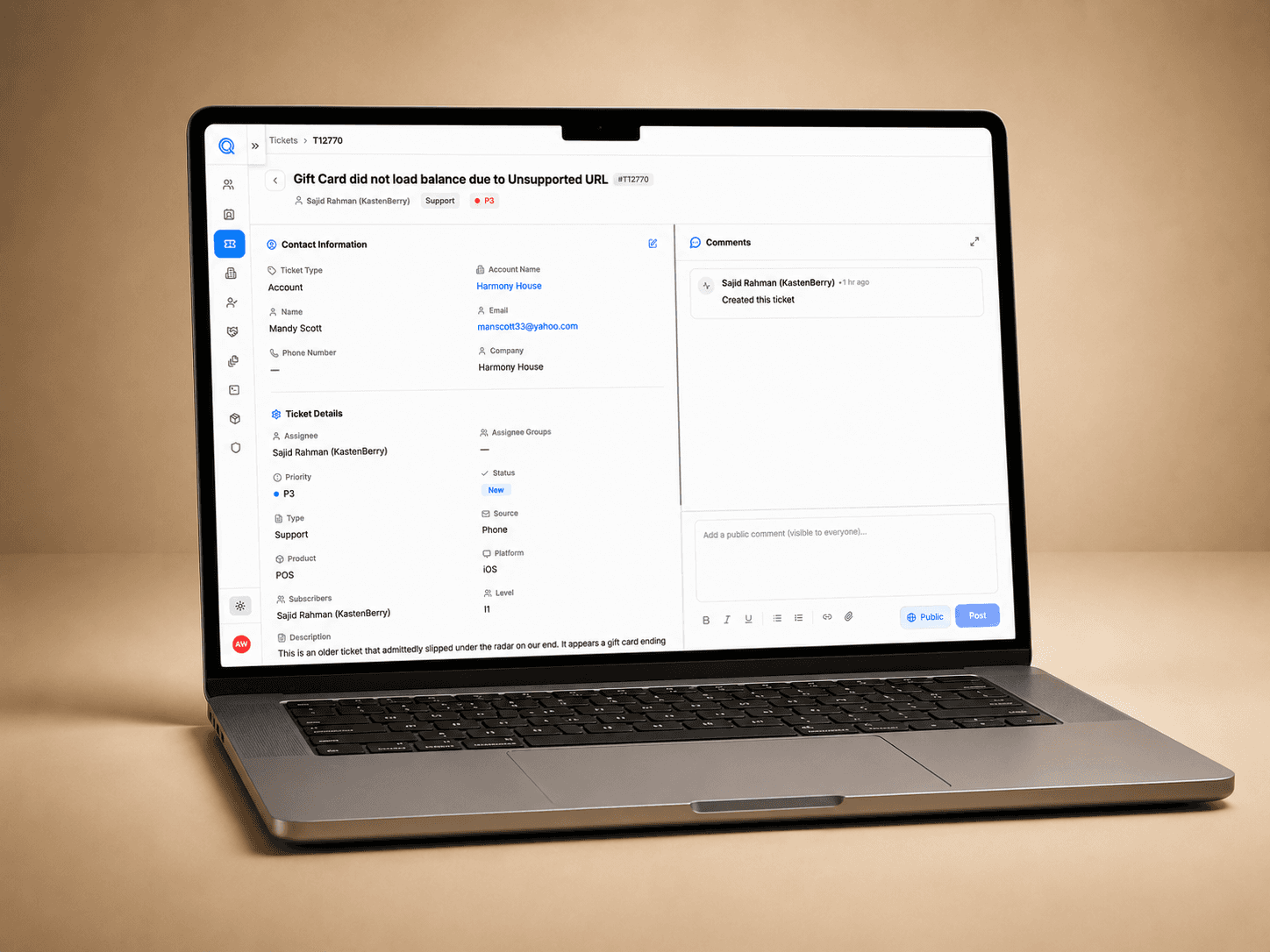
The ticket detail page is structured as a resolution hub with contact information, ticket metadata, comments, status, source, platform and subscribers so teams can understand the issue and act faster.
Design Solution
Key Features:
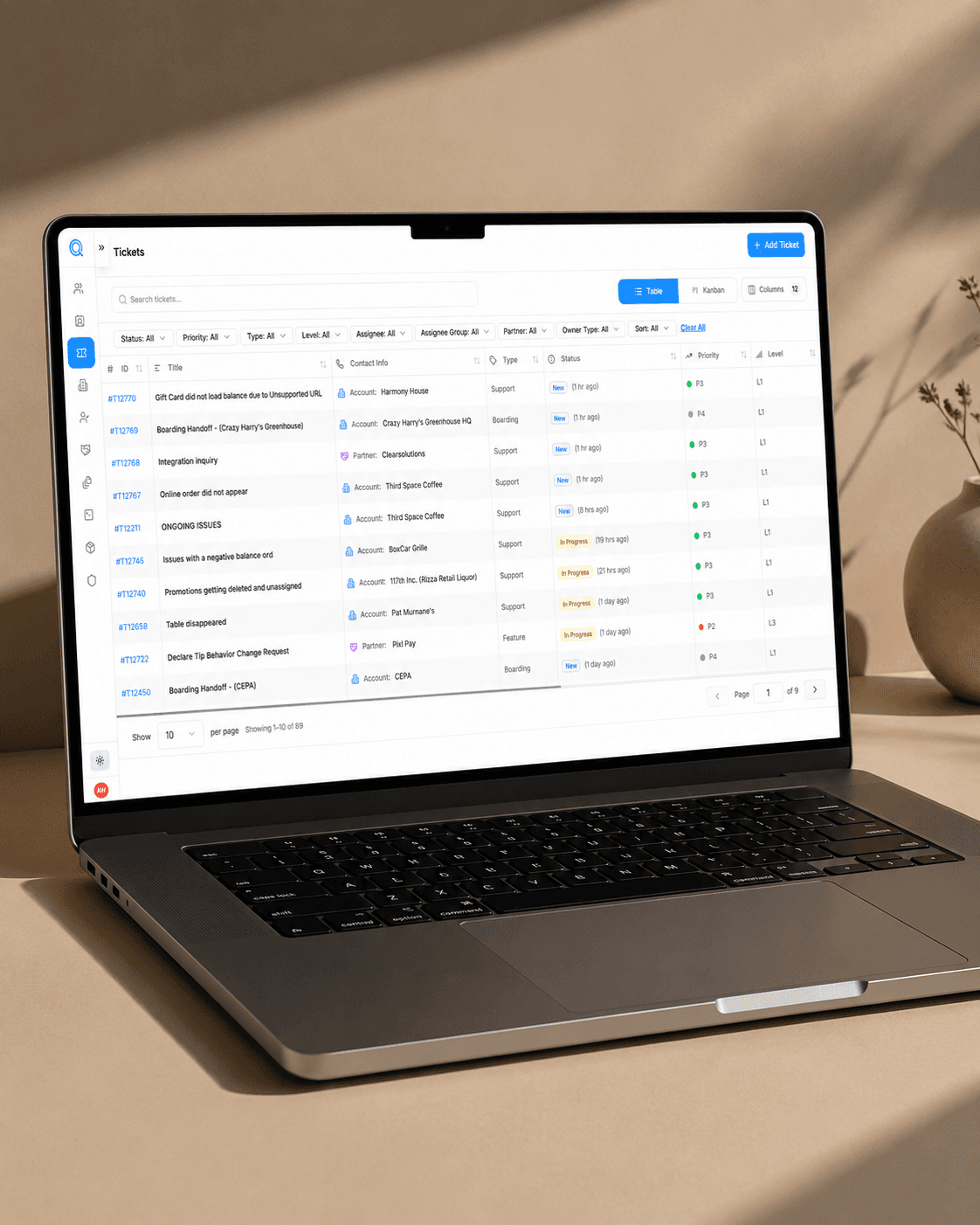
✅ Centralized Ticket Management
A clean table-based workspace that helps support teams view, organize and manage tickets from one place instead of jumping between disconnected tools.
✅ Advanced Search and Filtering
Users can quickly narrow tickets by status, priority, type, level, assignee, partner, owner type and more, making it easier to find the right issue fast.
✅ Create and Link Ticket Flow
Support teams can create a ticket from scratch or search for an existing contact, then link the ticket to an account, lead, or partner for better context and cleaner records.
✅ Detailed Ticket View
Each ticket has a dedicated detail page with contact information, ticket details, priority, source, platform, subscribers and comments so the full issue history is easy to understand.
✅ Faster Collaboration and Resolution
Commenting, ticket metadata and linked contact information give teams a clearer way to track updates, communicate internally and move issues toward resolution.